Keyboard and Mouse Shortcuts
Open the KEYBOARD SHORTCUTS dialog with the SHORTCUTS button in the header or K. Press K again, click GOT IT, or press Esc to close it.
Shortcuts don't fire while you type in a text field, and modifiers must match exactly. Chain actions apply to the selected Chain: the highlighted card.
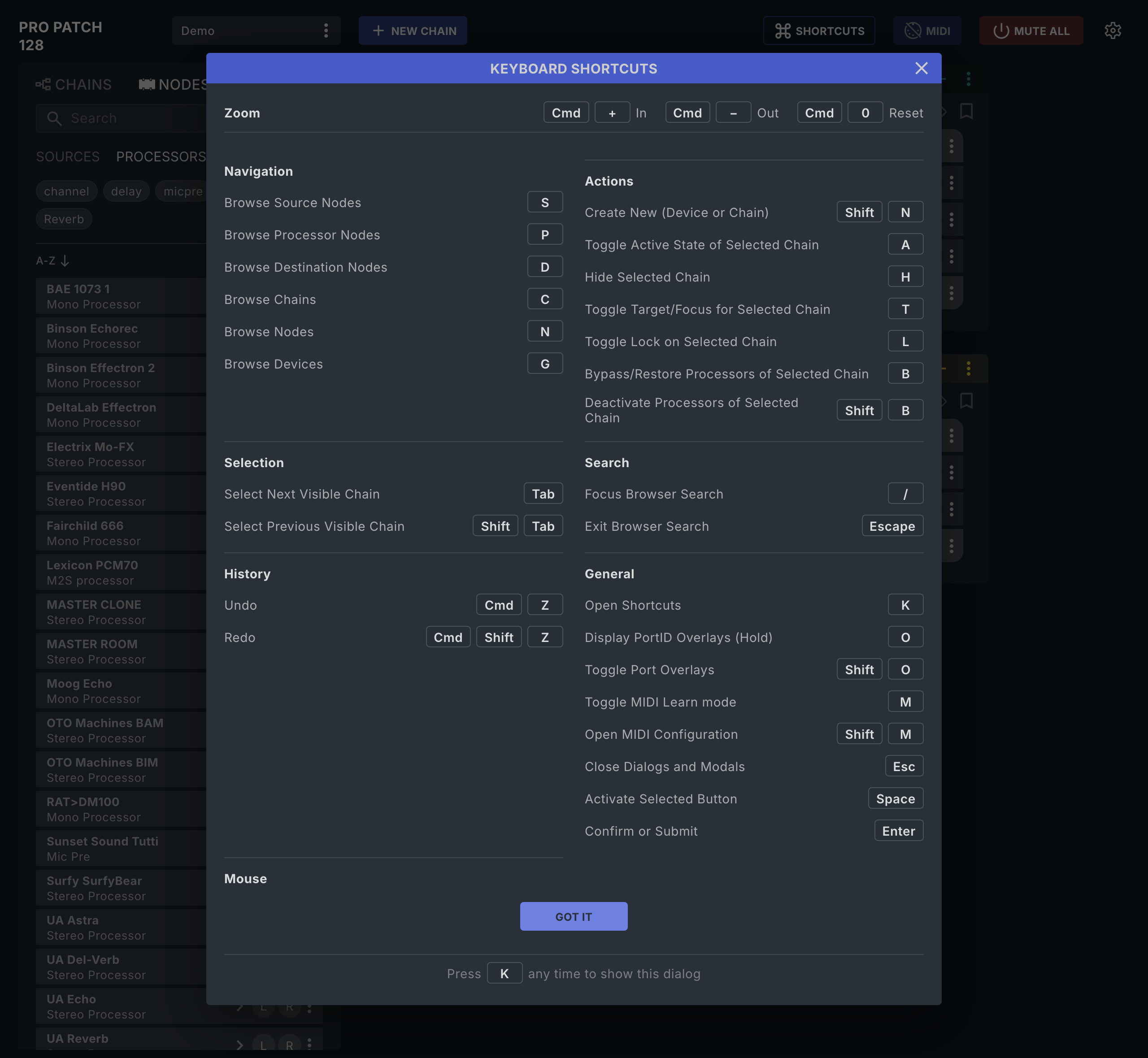
In the dialog
On Windows, zoom uses Ctrl instead of Cmd.
Zoom
| Keys | Action |
|---|---|
Cmd + |
Zoom in |
Cmd − |
Zoom out |
Cmd 0 |
Reset zoom |
Navigation
| Key | Dialog label |
|---|---|
| S | Browse Source Nodes |
| P | Browse Processor Nodes |
| D | Browse Destination Nodes |
| C | Browse Chains |
| N | Browse Nodes |
| G | Browse Devices |
S, P, and D open NODES filtered to one role. G opens the DEVICES browser.
Actions
| Key | Dialog label |
|---|---|
Shift N |
Create New (Device or Chain) |
| A | Toggle Active State of Selected Chain |
| H | Hide Selected Chain |
| T | Toggle Target/Focus for Selected Chain |
| L | Toggle Lock on Selected Chain |
| B | Bypass/Restore Processors of Selected Chain |
Shift B |
Deactivate Processors of Selected Chain |
Shift N creates a Device when DEVICES is open, otherwise a Chain. T toggles Target. Shift B switches the Processors off with nothing to restore and is ignored while the Chain is bypassed. See Chains.
Selection
| Key | Dialog label |
|---|---|
| Tab | Select Next Visible Chain |
Shift Tab |
Select Previous Visible Chain |
Hidden Chains are skipped.
Search
| Key | Dialog label |
|---|---|
/ |
Focus Browser Search |
| Escape | Exit Browser Search |
History
| Keys | Dialog label | Notes |
|---|---|---|
Cmd Z |
Undo | macOS. Not available on Windows. |
Cmd Shift Z |
Redo | macOS |
Ctrl Y |
Redo | Windows |
Undo covers Device and Chain edits, up to 100 steps.
General
| Key | Dialog label |
|---|---|
| K | Open Shortcuts |
| O (hold) | Display PortID Overlays (Hold) |
Shift O |
Toggle Port Overlays |
| M | Toggle MIDI Learn mode |
Shift M |
Open MIDI Configuration |
| Esc | Close Dialogs and Modals. Doesn't close CONFLICTS DETECTED; use its buttons. |
| Space | Activate Selected Button |
| Enter | Confirm or Submit |
M needs the Chain workspace and a connected MIDI port; Shift M opens System Configuration › MIDI. See MIDI Control.
Mouse
The dialog's Mouse heading has no entries in this release. These are the modifier gestures:
| Gesture | What it does |
|---|---|
Cmd Click a Chain header |
Deletes the Chain, with no confirmation. Not on a locked Chain. Not available on Windows. |
Cmd Click a Node in a Chain |
Removes only that Node. Not available on Windows. |
Alt Click a Node |
Copies it into a new Chain. Works on a Node in a Chain, in NODES, or on an L/R sub-row. |
Gestures not in the dialog
| Gesture | What it does |
|---|---|
| Double-click empty Chain space | Creates a new Chain |
| Double-click a Chain name (card or CHAINS row) | Renames the Chain |
| Double-click a Node name in the Device editor | Renames the Node |
| Double-click a Node in the browser | Adds it to the selected Chain |
| Double-click the L or R chip of a stereo Node, or an L/R sub-row | Adds only that side to the selected Chain |
Cmd Click a DEVICES row |
Deletes the Device after DELETE DEVICE?; refused while a Chain uses it. Not available on Windows. |
| Alt + drag a Node to another Chain | Copies the Node instead of moving it |
| Shift + click + NEW CHAIN | Replaces the selected card with a new Chain |
| Shift + click the eye in a CHAINS row | Shows that Chain in place of the selected card |
If you Cmd Click the wrong Chain or Node, press Cmd Z.
Next: Glossary.